Fonds
Fonds organize archival descriptions in a hierarchy. In Farinha, you create and maintain Fonds within a Place (Institution, Sector, Subsector, or Sub-subsector).
Who can do it
- Place Admin: creates, edits, and deletes Fonds components within their scope.
- Technical staff: registers and maintains descriptions and items within the allowed scope.
Structure (simple view)
A Fonds is usually organized into levels. In Farinha, the levels appear as options when registering/editing:
- Fonds → Group → Subgroup → Series → Subseries → File → Item
Create a Fonds (from a Place)
- Open the Place page.
- If you are the Place Admin, click “Create Fonds”.
- Fill in at least the “Reference Code” and “Title”.
- Save.
After saving, the Fonds appears in the list of descriptions associated with the Place.
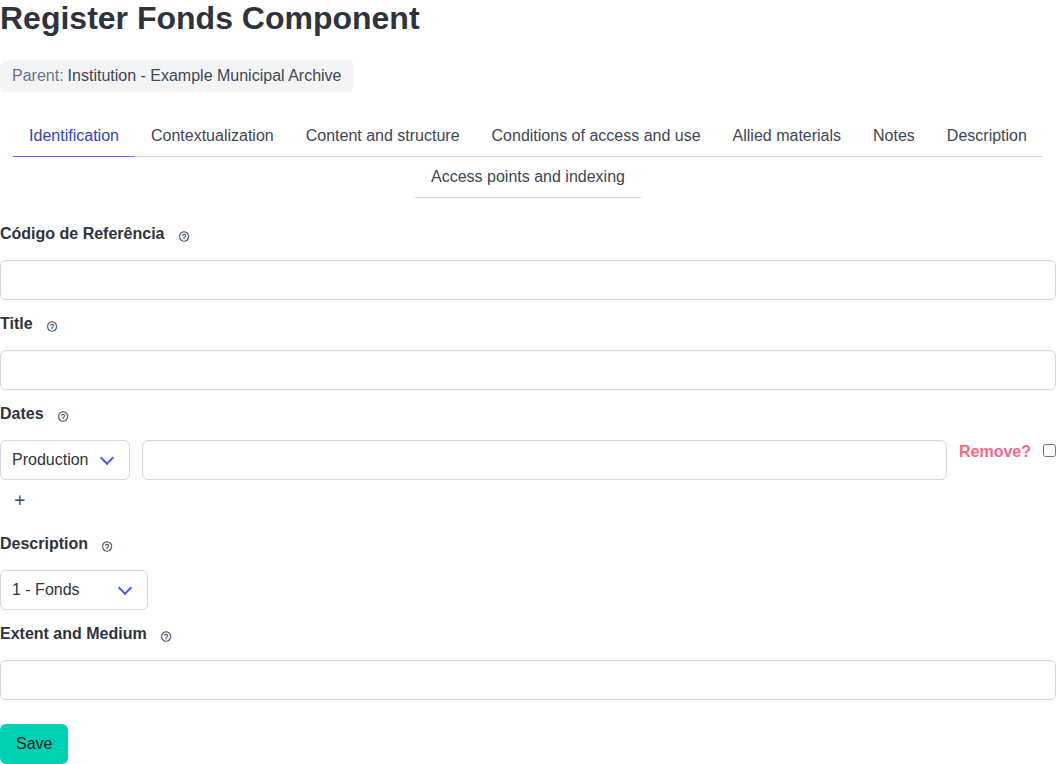
When creating a Fonds, start with the essential fields: Reference Code and Title.
Create child components (grow the hierarchy)
- Open the detail page of a Fonds component.
- If you are the Place Admin, click “Create Child Fonds Component”.
- Choose the appropriate level (for example: Series, File, Item), fill in the fields, and save.
Edit and delete
- Edit: on the component detail page, use the “Edit …” button.
- Delete: the “Delete …” button appears only when the component has no children.
Bulk import
The bulk import button appears only at levels where import is allowed. In Farinha, bulk import of Fonds descriptions is available from:
- Series
- Subseries
See: Bulk data import.
Digital surrogates (media)
Items and files can have associated digital surrogates (media) (for example: images, audio, video). See: Digital surrogates.
Common problems
- “Create Fonds” or “Create Component …” does not appear: you are probably not the Place Admin.
- “Delete …” does not appear: the component still has children.