Digital surrogates
Digital surrogates are the media (files) associated with documentary items registered in Fonds and Collections. They may be the result of digitization or born-digital records.
Who can do it
- Place Admin: registers and replaces media within the scope of the Place.
- Technical staff: registers media according to the instance’s permissions.
Supported media types
When registering/editing a File or Item (or another component that allows media), you choose the “Media Type”:
- Single Image
- Double Image (front and back)
- Album (multiple images)
- Audio
- Video
How to add or update media
- Open the registration/editing form for the File or Item.
- Go to the “Media” tab.
- Fill in the “Media Title” (recommended for organization).
- Select the “Media Type”.
- Upload the file(s) according to the type:
- Single Image / Audio / Video: 1 file
- Double Image: 2 files (front and back)
- Album: select multiple images
- Save.
Notes:
- When new media are uploaded for the same record, the system replaces the previous media of that type.
- For better performance, images are automatically resized/optimized (for example, size and resolution adjustment to around 75 dpi).
- File upload accepts large files (up to 1 GB per request).
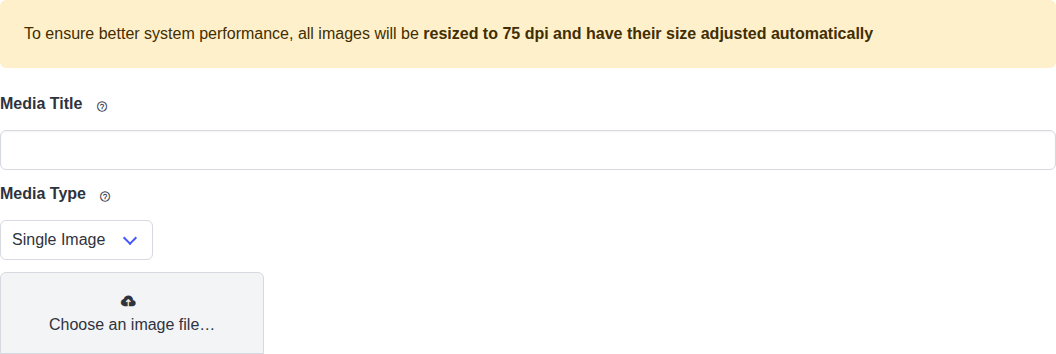
In the Media tab, enter the media title, select the type, and upload the corresponding files.
Who can see the media
Digital objects (media) are only displayed to authenticated and validated users. This applies to both Fonds and Collections.
- User not logged in: sees a notice that digital objects are available only to validated accounts, with a link to sign in.
- User logged in but not yet validated: sees the notice, with guidance to use the validation link sent by e-mail and, when the institution uses manual validation (Curation), to wait for review by the administration team.
- Validated user: sees the media normally.

Authenticated users without validation see a notice instead of the media.
See also: Users to understand automatic validation and manual validation (Curation).
Use with bulk import
It is possible to import records in bulk and, optionally, upload a .zip file with the media. See: Bulk data import.
Common problems
- “A file is required”: the selected type requires file(s); check that you attached them correctly.
- In Double Image, front or back is missing: upload both files.
- The media does not appear on the item page: check that your account is validated (the notice “Objetos digitais estão disponíveis apenas para contas validadas” means validation is missing) and that you are logged in.
- Upload fails for very large files: the limit is 1 GB per request; reduce the file or split it.
- I uploaded new media and the old one disappeared: for the same media type, uploading replaces the previous one. If you want to keep both, use different types (for example, Album).
Good practices
- Always fill in the “Media Title”: it makes identification easier in the interface and in search results.
- Name files descriptively and without special characters, especially when using bulk import.
- Prefer uploading images already at an appropriate resolution; the system resizes automatically, but smaller files upload faster.
- When replacing media, check the item page afterwards to make sure the displayed version is the desired one.
- Use Album for image sets and Double Image only for the front/back of the same document.